Process modeling definition
Process modeling is the practice of representing a business process as a visual model that shows steps, roles, decisions, and handoffs. The goal is to make work explicit and shareable—so teams can standardize procedures, identify bottlenecks, and eventually automate stable steps with confidence.
- Process modeling removes ambiguity from how work is done.
- The best models reflect reality—including exceptions and approvals.
- Use BPMN when cross-role handoffs and rules matter.
- Keep models readable: split complex flows into subprocesses.
- Connect models to SOPs and ownership so they stay current.
Why process modeling matters
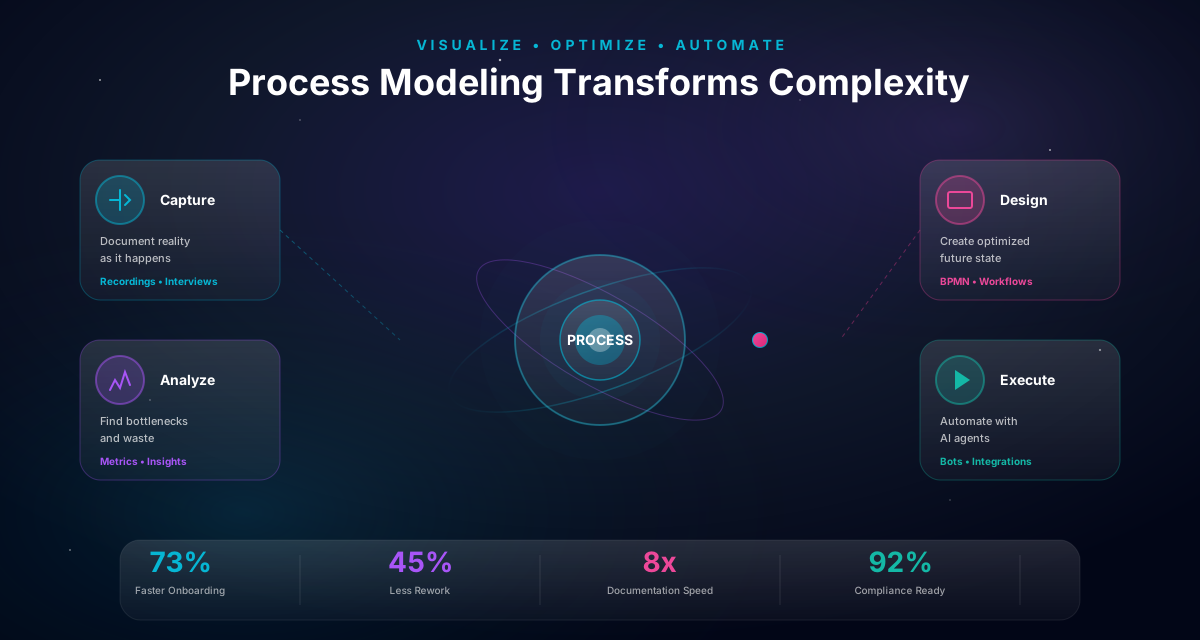
Most operational problems are process problems in disguise:
- work gets stuck at handoffs
- approvals happen in side channels
- “exceptions” become the norm
- nobody can explain the end-to-end flow
Process modeling creates a shared understanding so teams can improve and govern the workflow. The model becomes the reference point for onboarding, compliance, and continuous improvement.
Process modeling vs process mapping
People often use these terms interchangeably:
- Process mapping tends to be lighter-weight documentation (“how it flows”).
- Process modeling is more formal and can include execution semantics (especially with BPMN).
In practice, start with mapping for speed—then add modeling detail when the process needs governance or automation.
Pro Tip
If your process includes approvals, SLAs, or compliance evidence, treat it as modeling (not only mapping).
BPMN vs flowcharts: which should you use?
Use this quick rule:
- Flowcharts for brainstorming and simple explanations
- BPMN for operational workflows with roles, exceptions, and a path to automation
BPMN gives you a shared standard (events, activities, gateways, swimlanes) so models scale when processes become complex.
How to start modeling a real process
A pragmatic approach:
- Pick one process with clear outcomes
- Interview the people who do the work
- Model the happy path first
- Add decisions, approvals, and top exceptions
- Assign roles with swimlanes
- Review and get sign-off
- Translate the model into an SOP
Best practices for readable models
Use these habits to keep models usable:
- Verb-object naming: “Approve invoice”, not “Invoice approval”
- One purpose per diagram: split when scope grows
- Model exceptions intentionally: top 2–3 exceptions first
- Prefer subprocesses over giant canvases
- Define ownership and a review cadence
Clarity beats completeness.
Levels of process models (L0–L4): avoid the “one diagram for everything” trap
The fastest way to make process modeling painful is to put the entire business into one diagram.
A practical way to stay sane is to model at the right level:
- L0 (value chain / value stream): the big picture; usually a single page
- L1 (end-to-end process): one measurable outcome (e.g., “invoice approval”)
- L2 (subprocess): a coherent chunk of work (e.g., “validate invoice data”)
- L3 (procedure/SOP): step-by-step guidance (who does what, in what tool)
- L4 (work instruction): micro-steps (often tool-specific)
What belongs where
- Use L1/L2 to show handoffs, approvals, and decision logic.
- Use L3 to explain execution details and tool steps.
- Keep L4 out of BPMN diagrams; it belongs in training/work instructions.
Rule of thumb: if someone can’t explain the diagram in ~2 minutes, you’re probably modeling at the wrong level. Split into subprocesses and link them.
Pro Tip
Start at L1 (one end-to-end process). Only go deeper when a subprocess is important enough to own and measure.
Define boundaries: trigger, outcome, and what’s out of scope
Good models start with boundaries.
Before you draw anything, write down:
- Trigger: what starts the process (event/request)
- Outcome: what “done” means (end state)
- In scope: steps you will model and improve
- Out of scope: steps you explicitly won’t cover (for now)
Why boundaries matter
Without boundaries, teams argue about the process forever because they are modeling different things.
A quick boundary test
If your process has multiple outcomes (approved/rejected/escalated/cancelled), that’s fine — but each outcome should have a clear end condition.
Boundaries are also the bridge to governance: if you can’t define the outcome, you can’t measure performance.
Model roles and handoffs: where most delays live
Most operational delays happen at handoffs.
That’s why modeling roles matters:
- Who owns the work right now?
- What information must move with the case?
- What approvals are required?
Swimlanes as a clarity tool
Use lanes to make ownership visible:
- Sales
- Operations
- Finance
- IT
When ownership is visible, you can ask better questions:
- Where does work wait?
- What decisions create rework?
- Which approvals are high-friction and low-value?
If you want a model that is useful beyond a workshop, lanes are not optional.
Model “waiting” explicitly
If you have an approval or dependency, show it as a real step/state. Hidden waiting is where cycle time goes to die.
Naming and notation rules that make models readable
Readability is mostly conventions.
Naming conventions (fast wins)
- Use verb + object: “Approve invoice”, “Validate data”, “Notify requester”
- Avoid nouns-only labels: “Approval”, “Validation”
- Keep tasks short and specific
Gateway rules
- Label every outgoing path with an explicit condition
- Avoid vague labels like “Yes/No” unless the decision question is written nearby
Keep complexity under control
- Prefer subprocesses over giant canvases
- Model top exceptions first (the ones that drive risk or delay)
If two people can read the diagram and disagree on what happens next, the model is not done yet.
Important
Unlabeled gateways are one of the most common sources of misalignment. If the condition isn’t explicit, execution will become an exception.
How to validate a model (so it reflects reality)
Validation is where models become trustworthy.
A simple validation workflow
- Walk through the happy path with operators
- Walk through the top 2–3 exceptions
- Confirm ownership and approvals
- Identify missing inputs (what data is required where)
- Agree on the SOP and review cadence
Scenario testing (high leverage)
Pick 3–5 real cases from the past month and “run them” through the diagram. You’ll quickly discover:
- steps that are missing
- exceptions that are actually common
- approvals that happen off-diagram
This is how you avoid modeling the ideal process. Reality always wins — so model reality.
From model → SOP → automation: make it operational
A model is not the end deliverable. It’s the backbone.
Turn the model into an SOP
An SOP answers practical questions the diagram doesn’t:
- which tool is used at each step
- what inputs are required
- what “done” looks like
- what to do when something fails
Automation readiness checklist
- Are decision rules explicit?
- Are required inputs defined?
- Are exception paths modeled?
- Is ownership clear?
- Do you have baseline metrics?
If you can’t answer these, automation will be fragile.
Automate stable steps first
Automate what is repeatable and well-understood. Keep humans in the loop where judgment is required.
Example: customer onboarding (what a good first model includes)
A solid first model for customer onboarding typically includes:
- trigger: “signed contract” or “paid invoice”
- data validation: company details, billing, contacts
- approvals: pricing exceptions, security reviews (if needed)
- handoffs: sales → ops → support
- exceptions: missing information, delayed customer response
- outcome: “customer activated” (and what that means)
What to keep out at first
- every internal team’s micro-steps
- detailed tool instructions
Start with the end-to-end flow, then split into subprocesses when a part of onboarding becomes a process worth owning and measuring.
Templates: interview questions + modeling checklist
Use these templates to make your next modeling session faster.
Interview questions (copy/paste)
- What triggers the process?
- What does “done” mean?
- What are the top exceptions?
- Where does work wait?
- What approvals happen and why?
- What inputs are missing most often?
Modeling checklist
- Trigger and end condition defined
- Roles/lanes assigned
- Decisions have explicit conditions
- Top exceptions modeled
- Ownership + review cadence defined
- Linked SOP drafted
If you run this checklist on every model, your process library will stay usable.
Notation landscape: BPMN, flowcharts, DMN, and when each one wins
“Which notation should we use?” is really three questions:
- Who is the audience?
- What decisions need to be unambiguous?
- Do we want a path to execution?
A practical comparison
| Notation | Best for | Where it breaks |
|---|---|---|
| Flowchart | fast communication and brainstorming | roles, exceptions, and governance get fuzzy |
| BPMN | operational workflows with handoffs, approvals, exceptions | can be overkill for simple personal workflows |
| DMN | explicit decision rules (thresholds, policy logic) | not a replacement for process flow |
| UML activity | software-centric modeling | less common for ops teams |
The “combo” that scales
- Use BPMN for flow and ownership.
- Use DMN (or decision tables) for complex gateway conditions.
- Use SOPs for tool steps and execution guidance.
This combination keeps diagrams readable and unambiguous.
Exception modeling: how to include reality without creating a monster diagram
Every process has exceptions. The question is: which ones should appear in the model.
A simple exception selection rule
Model exceptions that are:
- frequent (happen weekly)
- high-risk (compliance, money, access)
- high-delay (create long waiting or loops)
Leave rare edge cases to SOPs or escalation policies.
Three exception patterns that keep models readable
- Repair loop: missing data → request info → re-validate
- Escalation: no response → reminder → escalate → reroute
- Alternate outcome: rejection/cancellation is a real outcome, not a dead end
Why this matters
If exceptions aren’t modeled, they will be handled in side channels — and your diagram becomes fiction.
Tip: keep a short “exception catalog” linked from the model. Turn recurring exceptions into workflow improvements.
Start with top 3 exceptions
You don’t need the full catalog on day one. Model what creates the most rework and delay first.
Decision modeling: turning vague gateways into explicit rules
Many models fail at gateways because the decision rule is unclear.
A gateway is a question
Write the decision as a question:
- “Is the amount above threshold?”
- “Is this customer enterprise?”
Then label outgoing paths with explicit conditions.
When to use decision tables (DMN-style)
Use decision tables when:
- there are multiple criteria
- thresholds change
- policy logic must be auditable
Example:
| Amount | Category | Route |
|---|---|---|
| < 1,000 | any | manager |
| 1,000–10,000 | any | manager + finance |
| >= 10,000 | any | finance + legal |
Keep the table as the source of truth and link it from the diagram.
This is how you prevent “tribal knowledge gateways”.
Governance & versioning: keeping models current without bureaucracy
The hardest part of process modeling is not drawing. It’s staying current.
Minimum governance that works
- assign an owner
- record a review cadence (quarterly is a good default)
- version every change with a reason
- define who approves changes to controls/approvals
A simple change workflow
- change request submitted (what/why)
- model updated
- stakeholders review
- SOP updated
- publish + measure
If you do this consistently, drift becomes manageable.
Without governance, your “process library” becomes a museum.
Important
If models are stored as static images with no ownership and no versioning, they will be wrong within weeks.
Tooling & collaboration: what to look for in a modeling tool
If you’re modeling for real operations, collaboration features matter.
Look for:
- comments and review workflows
- role-based access (who can edit vs view)
- versioning and change history
- reusable templates (lanes, approval patterns)
- export/share options that keep the model discoverable
Practical advice
- Store models where operators can find them.
- Link SOPs and “how to run it” guidance next to the diagram.
- Keep a single source of truth — not five copies in different tools.
The best model is the one people can maintain.
From model to execution: the metadata you’ll wish you captured
If there’s any chance you’ll automate later, capture execution-friendly details early.
Metadata to capture per step
- owner/role
- required inputs
- system/tool used
- expected time/SLA
- evidence required
- exception handling
Why this helps
It turns the model from “communication” into “design”. When you later implement a workflow in a WMS, you already have:
- explicit rules
- explicit ownership
- explicit exception paths
That’s what makes automation reliable.
How to run a process modeling workshop (agenda + facilitation tips)
A process model is usually born in a workshop.
If the workshop is unstructured, you get:
- an “ideal” diagram
- missing exceptions
- unclear ownership
A workshop agenda that works (60–90 minutes)
- Define boundaries (10 min)
- trigger
- outcome
- in/out of scope
- Capture the happy path (20 min)
- steps, roles, and handoffs
- Identify decisions and approvals (10 min)
- what decisions exist, why, and who approves
- Add the top exceptions (15 min)
- pick 2–3 exceptions that drive delays/risk
- Assign ownership + next steps (10 min)
- owner
- review cadence
- SOP drafting plan
Facilitation tips (practical)
- Ask “what happens when…?” questions relentlessly.
- When people disagree, write down both paths and test with real cases.
- Keep scope tight: if a step is unclear, mark it and move on.
A good workshop produces a model that can be validated — not a perfect diagram.
Bring real cases
Bring 3–5 recent real cases and run them through the model. Reality will find the missing steps fast.
Modeling patterns that show up everywhere (and how to model them cleanly)
Most operational processes reuse the same patterns.
Pattern: approval
- explicit approval task
- gateway with approved/rejected paths
- reason code on rejection
Pattern: escalation
- timer
- reminder
- escalate to manager
- reroute to backup approver
Pattern: repair loop
- validate inputs
- if missing: request info
- re-validate and continue
Pattern: parallel work
- split into parallel tasks
- join with “all must complete” vs “any completes” logic
Pattern: exception queue
- route ambiguous cases to a queue
- operator fixes and re-runs
When a process model uses these patterns consistently, it becomes:
- easier to read
- easier to govern
- easier to automate later
Quality rubric: how to tell if a process model is actually good
Use this rubric to review your model.
Clarity
- Can a new employee explain the happy path after 5 minutes?
- Are roles and handoffs obvious?
Unambiguity
- Are gateway conditions explicit?
- Are outcomes explicit?
Completeness (pragmatic)
- Does it include the top 2–3 exceptions?
- Are approvals modeled as steps?
Maintainability
- Is there an owner?
- Is there versioning?
- Is there a review cadence?
Operational usefulness
- Is there an SOP linked from the model?
- Are required inputs and “done” criteria clear?
If the model fails on clarity or unambiguity, it won’t be used — and everything else becomes irrelevant.
Insight
A model that is 80% accurate and maintained beats a model that is 100% accurate and forgotten.
The “complete package”: model + SOP + decision rules (what to publish)
A model becomes operational when it’s published as a package.
What to publish together
- the process model (BPMN/flowchart)
- an SOP that explains tool steps and exceptions
- decision rules (thresholds, policy logic) as a table
- ownership + review cadence
Where to publish
Publish where operators work, not where documents go to die:
- link from the WMS/workflow tool
- link from the team wiki
- include it in onboarding
Why this works
It prevents the classic failure mode:
- diagram in one tool
- SOP in a doc
- decision rules in a spreadsheet
- approvals in email
When everything is connected, change becomes manageable and automation becomes realistic.
As-is vs to-be modeling: how to improve without losing trust
There are two useful model types:
- As-is: what actually happens today
- To-be: what you want to happen after improvements
Why you need both
- As-is builds trust (operators recognize reality).
- To-be creates alignment (stakeholders agree on the target).
A practical workflow
- Model the as-is happy path + top exceptions
- Validate with real cases
- Identify improvement opportunities (waiting, rework, unclear rules)
- Model the to-be changes explicitly
- Record the delta (what changed and why)
- Update SOPs and governance
The trust trap
If you start with to-be, operators often reject it as “fantasy”.
If you stay only in as-is, you never improve.
The winning pattern: as-is first, then intentional to-be — and keep both versions linked with a change log.
Pro Tip
If you can’t get consensus on a to-be model, try narrowing scope. Agree on one improvement, ship it, then iterate.
Decomposition: how to split large processes without losing context
Large processes are unavoidable. Giant diagrams are optional.
When to split
- the happy path exceeds ~12–15 main activities
- there are multiple audiences (exec overview vs operator detail)
- a subprocess has a different owner or KPI
How to split cleanly
- keep the end-to-end L1 model as the map
- create L2 subprocess diagrams for the complex parts
- link subprocesses from the parent model
- keep naming consistent across levels
A practical decomposition pattern
- L1: “Customer onboarding” end-to-end
- L2: “Data validation” subprocess
- L2: “Security review” subprocess
- L2: “Activation” subprocess
This keeps models readable and makes ownership realistic.
Tip: decomposition is also how you keep models automation-ready: stable subprocesses can be automated first, while messy ones keep human checkpoints.
Example library: 3 real-world process models (what to include)
If you want to improve your modeling fast, study patterns.
Example 1: invoice approval
Include:
- thresholds and routing
- rejection reasons
- missing data repair loop
- escalation timers
Example 2: access request
Include:
- SoD control (requester ≠ approver)
- dual approvals for sensitive access
- evidence capture
- audit-friendly outcomes
Example 3: customer onboarding
Include:
- handoffs across roles
- “waiting for customer” state
- top exceptions (missing info)
- clear activation outcome
Across all three, the model is valuable when it answers:
- what happens next
- who owns it
- what happens when it goes wrong
That’s the difference between a drawing and an operational model.
Extended review checklist: 25 checks before you call a model “done”
Use this checklist to make reviews faster and less subjective.
Scope and boundaries
- Trigger is explicit
- End outcomes are explicit
- In/out of scope is agreed
Roles and ownership
- Lanes match real roles
- Handoffs are explicit
- Each step has a clear owner
Decisions and approvals
- Approvals are modeled as tasks
- Gateway conditions are explicit
- Rejections have a defined outcome and reason capture
Exceptions
- Top 2–3 exceptions are modeled
- Repair loops exist for missing/invalid inputs
- Escalations exist for timeouts
Readability
- Happy path is < ~15 main activities
- Subprocesses used where appropriate
- Naming is verb–object
Governance
- Owner and review cadence are defined
- Versioning is in place
- Change approvals are defined
Operational package
- SOP is linked
- Decision table/rules are linked (if complex)
- KPIs are listed
If you run this checklist, you’ll ship models teams can actually use — and maintain.
Process modeling glossary (quick definitions)
- Process: an end-to-end flow that produces a measurable outcome.
- Subprocess: a coherent part of a process.
- Task: one unit of work.
- Trigger: what starts the process.
- Outcome: what “done” means.
- Handoff: transfer of ownership between roles.
- Exception: a non-happy path that must be handled.
- Repair loop: structured rework path to fix inputs.
- Gateway: a decision point.
- Swimlane: who does the work.
Shared language makes modeling faster and reduces misinterpretation.
Process mining + modeling: how they fit together
Process mining and process modeling solve different problems.
Process mining (data-first)
- reconstructs flows from event logs
- shows where time is spent (waiting vs working)
- reveals loops and variations
Process modeling (people + intent)
- captures roles, ownership, approvals
- makes decision logic explicit
- defines how work should run
The best combo
- Use mining to generate hypotheses (“approvals drive 60% of cycle time”).
- Use workshops to explain the “why” and capture exceptions outside systems.
- Update the model and SOP.
- Measure again.
Mining without modeling optimizes noise.
Modeling without data risks arguing forever.
Together, you get reality + intent — which is what you need to improve processes sustainably.
Common questions (answered): what new modelers get stuck on
“How detailed should my model be?”
Detailed enough to remove ambiguity, but not so detailed it becomes unreadable. If the happy path is longer than ~12–15 activities, split into subprocesses.
“Should I model every exception?”
No. Model the top 2–3 exceptions that drive delay or risk. Keep a linked exception catalog for the rest.
“What if stakeholders disagree?”
Disagreement is data. Capture both paths, then test with real cases. Often the “real process” differs by team — which means you need clearer ownership and rules.
“Do I start with as-is or to-be?”
Start with as-is to build trust. Then create a to-be model for the improvement you’re actually going to ship.
“How do I keep models up to date?”
Assign an owner, version changes, and review quarterly or after major policy/system changes. Publish SOPs with the model so updates are coupled.
If you can answer these questions consistently, your modeling practice will scale.
Worked example (detailed): model an invoice approval process end-to-end
A detailed worked example helps you see what “good” looks like.
1) Define boundaries
- Trigger: invoice received
- Outcome: invoice paid or rejected with reason
- In scope: validation, approvals, exception handling
- Out of scope (for v1): accounting reconciliation edge cases
2) Define roles (lanes)
- Accounts Payable (AP)
- Requester
- Manager
- Finance
3) Happy path (high-level)
- Receive invoice
- Validate required fields
- Match vendor + PO
- Route approval
- Capture decision + evidence
- Continue to payment
4) Decision rules (make routing explicit)
Use a decision table for the approval gateway:
| Amount | Category | Approvers |
|---|---|---|
| < 1,000 | any | manager |
| 1,000–10,000 | any | manager + finance |
| >= 10,000 | any | finance + legal (if required) |
Link this table from the model so “why it routed” is auditable.
5) Top exceptions (model the ones that matter)
- missing PO number → repair loop to requester
- vendor mismatch → route to AP exception queue
- approval timeout → escalate to backup approver
- rejection → capture reason code and close
6) Operational package
- SOP linked from the diagram
- owner + review cadence
- KPIs: cycle time, approval latency, exception rate
If you model processes like this, you’re not just drawing — you’re designing execution.
Build a modeling practice: how teams stay consistent over time
Individual models are useful. A modeling practice is how you scale.
What a lightweight modeling standard includes
- naming conventions (verb–object)
- lane conventions (real roles)
- gateway condition conventions (explicit, testable)
- subprocess decomposition rules
Templates to standardize
- process charter
- SOP structure
- decision table format
- review checklist
Governance that prevents drift
- owner per process
- versioning
- review cadence
- change approval for controls/approvals
Training and adoption
- teach operators how to “read” the model
- teach owners how to maintain it
- run quarterly review sessions
Consistency is what turns process modeling into a real system of work — and into a foundation for automation later.
Process modeling cheat sheet: principles that prevent 80% of mistakes
Use this cheat sheet when you model under time pressure.
The 6 questions every model should answer
- What triggers the process?
- What does “done” mean?
- Who owns each step?
- What decisions exist — and what are the conditions?
- What are the top exceptions and repair loops?
- How do we keep it current (owner + cadence + versioning)?
The 5 readability rules
- happy path under ~12–15 activities
- verb–object naming for tasks
- explicit gateway conditions
- lanes match real roles
- subprocesses for complexity
The 4 reliability patterns to include early
- explicit approvals (with rejection paths)
- repair loops for missing/invalid data
- escalation timers
- exception queues
The 3 fastest validation moves
- run 3–5 real cases through the diagram
- ask operators “what happens when…?”
- confirm ownership and evidence requirements
The simplest “quality test”
If two people can read the model and disagree on what happens next, the model is not ready.
These principles keep models useful for operations and make automation later dramatically easier.
Common mistakes to avoid
Learn from others so you don't repeat the same pitfalls.
Modeling the ideal process
It won't match reality, so people won't use it.
Model what actually happens, then improve it intentionally.
Over-modeling exceptions
The diagram becomes unreadable and unmaintainable.
Start with happy path + top exceptions that drive risk or delays.
No link to SOPs
Models sit in a folder while people work in email.
Publish SOPs from the model and review them together.
Take action
Your action checklist
Apply what you've learned with this practical checklist.
Pick one process with clear outcomes
Interview process participants
Model the happy path first
Add approvals and key exceptions
Assign roles with swimlanes
Review with stakeholders and get sign-off
Publish an SOP and set a review cadence