Definition
Process documentation describes how work is performed from trigger to outcome, including steps, roles, decisions, and exceptions. Great documentation is usable: it has clear ownership, versioning, and review cadence—so SOPs stay current and can evolve into governed automation.
- SOPs should be written for execution, not for archives.
- Ownership + review cadence prevent documentation drift.
- Tie SOP steps to a visual model (BPMN) for shared understanding.
- Document exceptions and approvals explicitly.
- Keep docs lightweight and searchable; split long procedures.
Why process documentation fails
Most SOPs fail for predictable reasons:
- they are written once and never updated
- they describe an ideal process, not the real one
- they lack ownership and accountability
- they hide exceptions and approvals
- they are too long to be used in day-to-day work
The fix is not “more documentation”. The fix is usable documentation.
A SOP structure people actually follow
Use a consistent structure:
- Purpose: why this SOP exists
- Scope: what is included/excluded
- Trigger + outcome: when it starts/ends
- Roles: who does what
- Steps: the happy path (numbered)
- Decisions + approvals: explicit conditions
- Exceptions: top failure cases and how to handle
- KPIs: what good looks like
- Change log: what changed and when
If your SOP doesn’t tell someone what to do next, it won’t be used.
Write for the person on the deadline
Assume the reader is busy, stressed, and needs the next action in 10 seconds. Make steps scannable and explicit.
Ownership, versioning, and review cadence
To avoid documentation drift, you need governance:
- Owner: one person accountable for accuracy
- Versioning: track changes and reasons
- Review cadence: quarterly, or after major system/policy changes
- Feedback loop: make it easy to report “this step is wrong”
Without governance, documentation becomes a liability.
Important
If your team works around the SOP, the SOP is wrong. Treat “workarounds” as signals to update the process.
Connect SOPs to models (and models to execution)
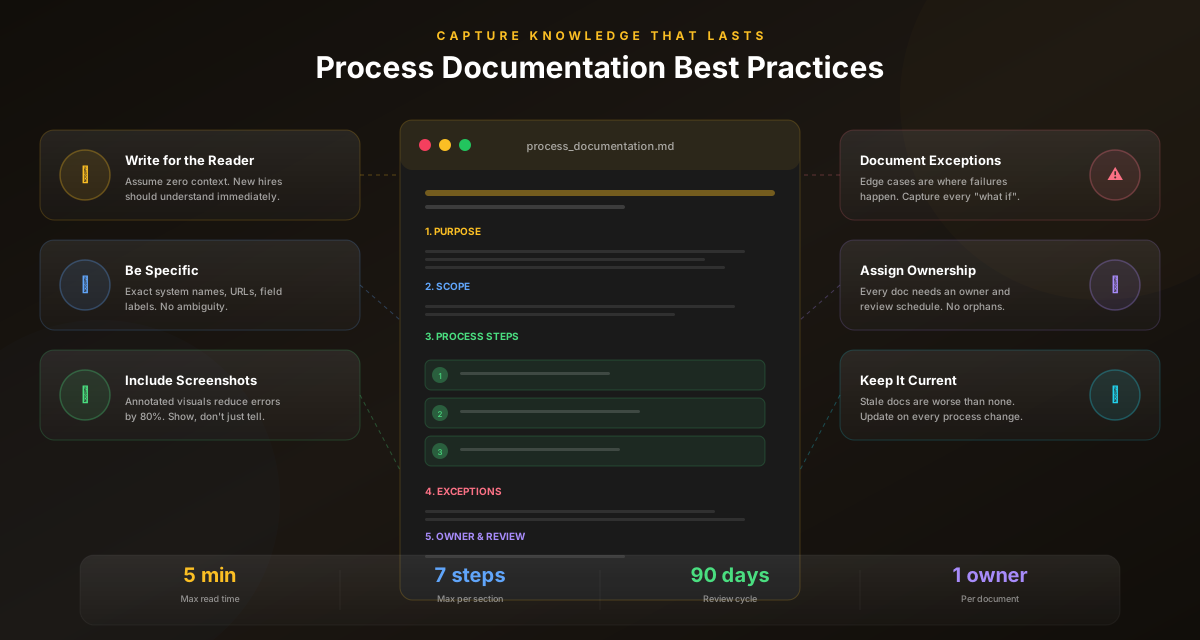
SOPs are easiest to maintain when they are connected to a visual model.
- A BPMN model makes roles, handoffs, and decisions visible
- The SOP turns the model into step-by-step execution guidance
- Automation can then execute stable steps and keep approvals for exceptions
This is the difference between documentation that sits in a folder and documentation that improves operations.
Common mistakes to avoid
Learn from others so you don't repeat the same pitfalls.
Writing SOPs like essays
Nobody can scan them during real work.
Use numbered steps, short sentences, and explicit outcomes.
No change log
People don’t trust what they can’t verify.
Track versions, owners, and what changed.
Ignoring exceptions
Real work lives in exceptions.
Document top exceptions and approval points explicitly.
Take action
Your action checklist
Apply what you've learned with this practical checklist.
Define trigger and outcome
Assign an owner
Write numbered, scannable steps
Document approvals and exceptions
Add KPIs and success criteria
Add versioning + change log
Schedule quarterly review